
Instructions for hotmail.com, outlook.com or outlook.de e‑mail account users
For receiving XELLENTO e‑mails (name@xellento.com and name@xellento.biz) please call up the hotmail.com or outlook.com website via your browser und get registered with your e‑mail account. Now make the following setting.
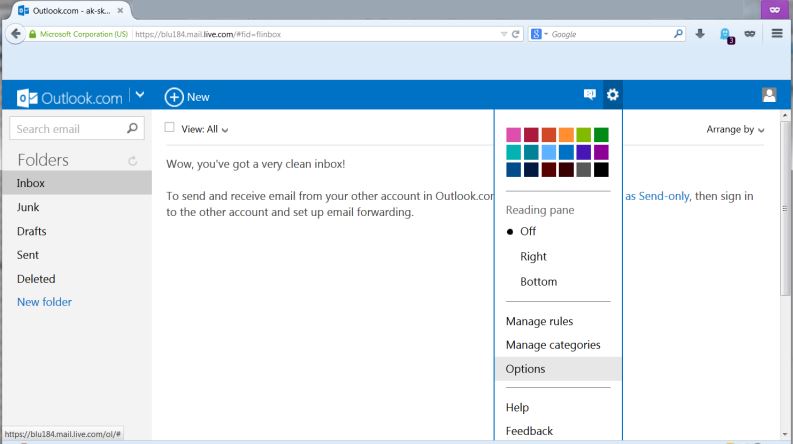
First activate the e‑mail account options via the gearwheel icon (right above).
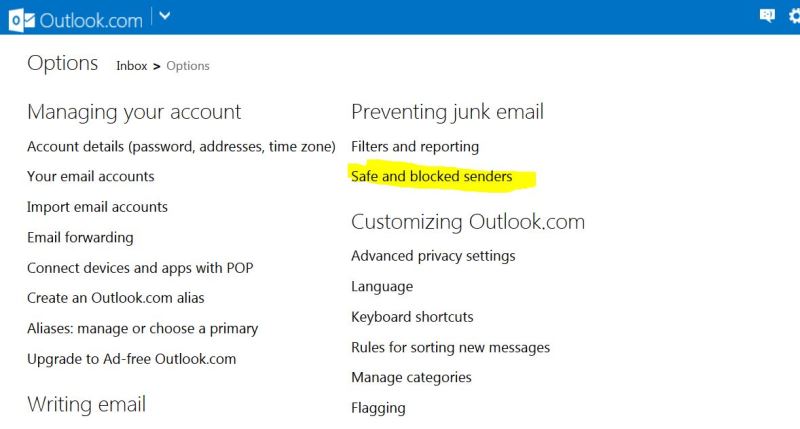
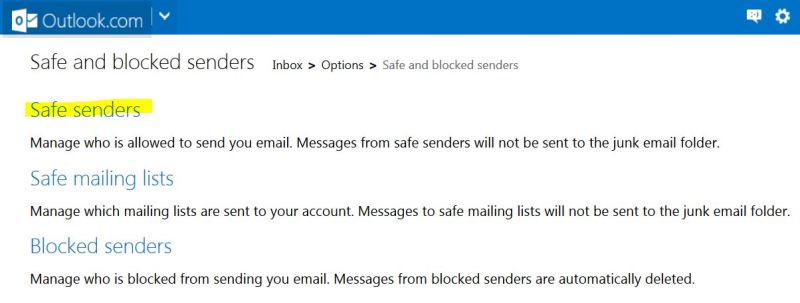
Now activate the settings for the “safe and blocked senders”.
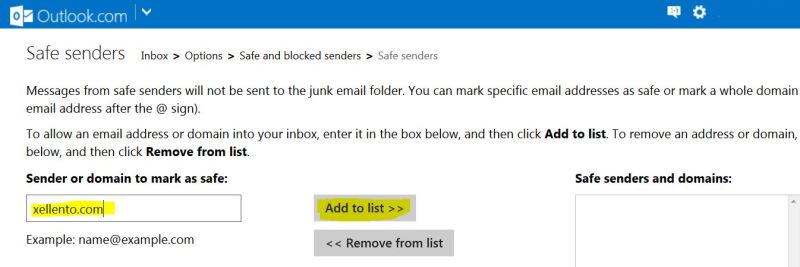
Finally insert “xellento.com” and “xellento.biz” (without quotation marks) into the field “sender or domain, …” and confirm the entry by using the “Add to list” button.
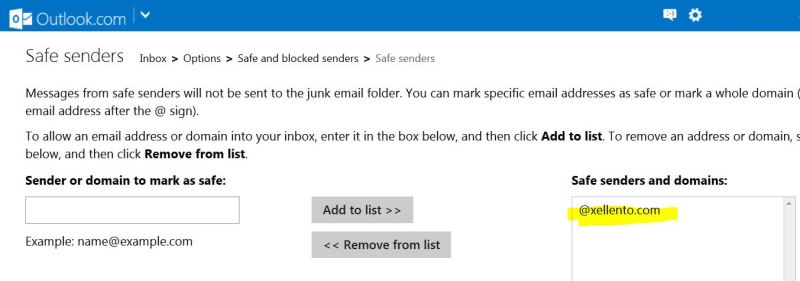
Your listing should now appear on the right side of the list box “safe senders and domains”.
Instructions for Googlemail / gmail account users

For a trouble-free receipt of Xellento mails we kindly ask you to check your spam folder as well as adding us to your contacts.